Jed White
Every software release needs the same marketing work: release notes, a blog post, an X thread, a LinkedIn update, a Reddit post.
Core trick
Splits release generation into analyst, writer, and editor stages where each stage is a markdown file piped with Unix tools.
Description
Every software release needs the same marketing work: release notes, a blog post, an X thread, a LinkedIn update, a Reddit post. Different voice for each platform. Developers either skip it or spend hours context-switching.
ShipIt does it in one command. Point shipit at any repo — local path or GitHub URL — and it generates all five pieces, each matched to its platform's voice and audience.
Opus 4.6 plays three roles in isolated pipeline stages: analyst (reads README, CHANGELOG, commits, and code into a structured briefing), writer (generates in five channel-specific voices), and editor (reviews output for AI writing tells and rewrites failures). Each stage is an executable markdown file that runs through Claude Code — add a channel by adding a file.
--focus steers what to emphasize. --since scopes to recent changes. --live streams to your terminal. --open loads drafts into your browser's compose UI. --dangerously-post posts live.
No API keys, no cloud, no Docker.
README excerpt
# ShipIt > One command turns your repo into a full product launch. [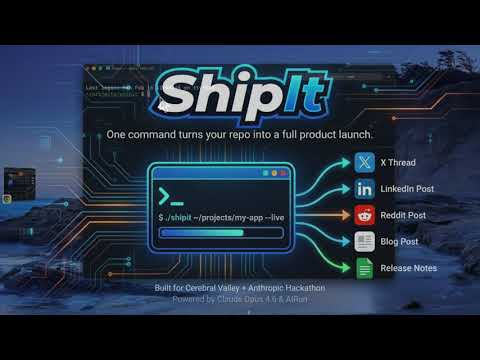](https://www.youtube.com/watch?v=StVULSJ7v64) [Watch the demo video](https://www.youtube.com/watch?v=StVULSJ7v64) ```bash ./shipit ~/projects/my-app --live ``` ShipIt reads your repo (README, CHANGELOG, git log, package manifests), builds a structured briefing, then generates platform-specific content for release notes, a blog post, an X/Twitter thread, a LinkedIn post, and a Reddit post. With `--open`, it loads each draft into your browser's compose UI for review before posting. Built with [AIRun](https://github.com/andisearch/airun) executable markdown and Claude Opus 4.6. Each stage is a separate `.md` file connected by Unix pipes. ## Prerequisites - [Claude Code](https://docs.anthropic.com/en/docs/claude-code) installed (`claude` command available) - [AIRun](https://github.com/andisearch/airun) installed (`ai` command available) - For `--open`: Chrome with [Claude in Chrome](https://chromewebstore.google.com/detail/claude-in-chrome) extension ## Quick Start ```bash # Install Claude Code (if you don't have it) curl -fsSL https://claude.ai/install.sh | bash # Install AIRun (executable markdown runner) git clone https://github.com/andisearch/airun.git cd airun && ./setup.sh # Clone ShipIt git clone https://github.com/andisearch/shipit.git cd shipit # Generate launch content for any repo ./shipit ~/projects/my-app --live ``` ##